
Abhikalan Technologies logo
AbhiPOSS Help CenterAbhiPOSS

Restaurant POS Help

Available now

Restaurant documentation is available for table-service, takeaway, kitchen, customer display, settlement, and printer routing workflows.

Create dine-in or takeaway bills from the billing counter

Manage tables, active orders, split, merge, modify operations, and settlements

Send KOTs to kitchen and track New, Confirmed, Preparing, and Ready states

Use kitchen display and customer display for operational handoff

Route customer receipts and kitchen tickets to configured printers

Restaurant Workflow Guide

Use these sections to understand the current restaurant workflow from billing through kitchen handoff, printing, settlement, and review.

Counter Billing

Use the billing counter to create dine-in, takeaway, or delivery orders, add menu items, review taxes, and proceed to payment.

  • Start a new bill from the billing counter
  • Add items by category, search, or quick selection
  • Review subtotal, taxes, discounts, and payable amount before settlement
  • Keep the bill active until the customer is ready to pay
Tables and Active Orders

Restaurant operators can track table status and open orders from the order workspace.

  • Open, modify, split, merge, cancel, or settle active orders
  • Use table and takeaway labels to identify where each order belongs
  • Avoid changing bill contents after settlement mode begins

Kitchen and Customer Display

KOT flow moves order items through preparation states while customer display gives the front counter a cleaner customer-facing view.

  • Send KOTs from billing without leaving the bill unnecessarily
  • Track new, confirmed, preparing, ready, and served states
  • Use customer display for order visibility at the counter

Printing and Settlement

Printer routing decides which configured printer receives customer receipts, kitchen tickets, and other station-specific jobs.

  • Assign printer profiles to routes such as customer receipt or prep station
  • Test each physical printer after configuration
  • Settle bills using the correct payment mode and keep transaction history for review

Restaurant Screens

These screenshots are from the current restaurant workflow and should be used as restaurant-specific help references.

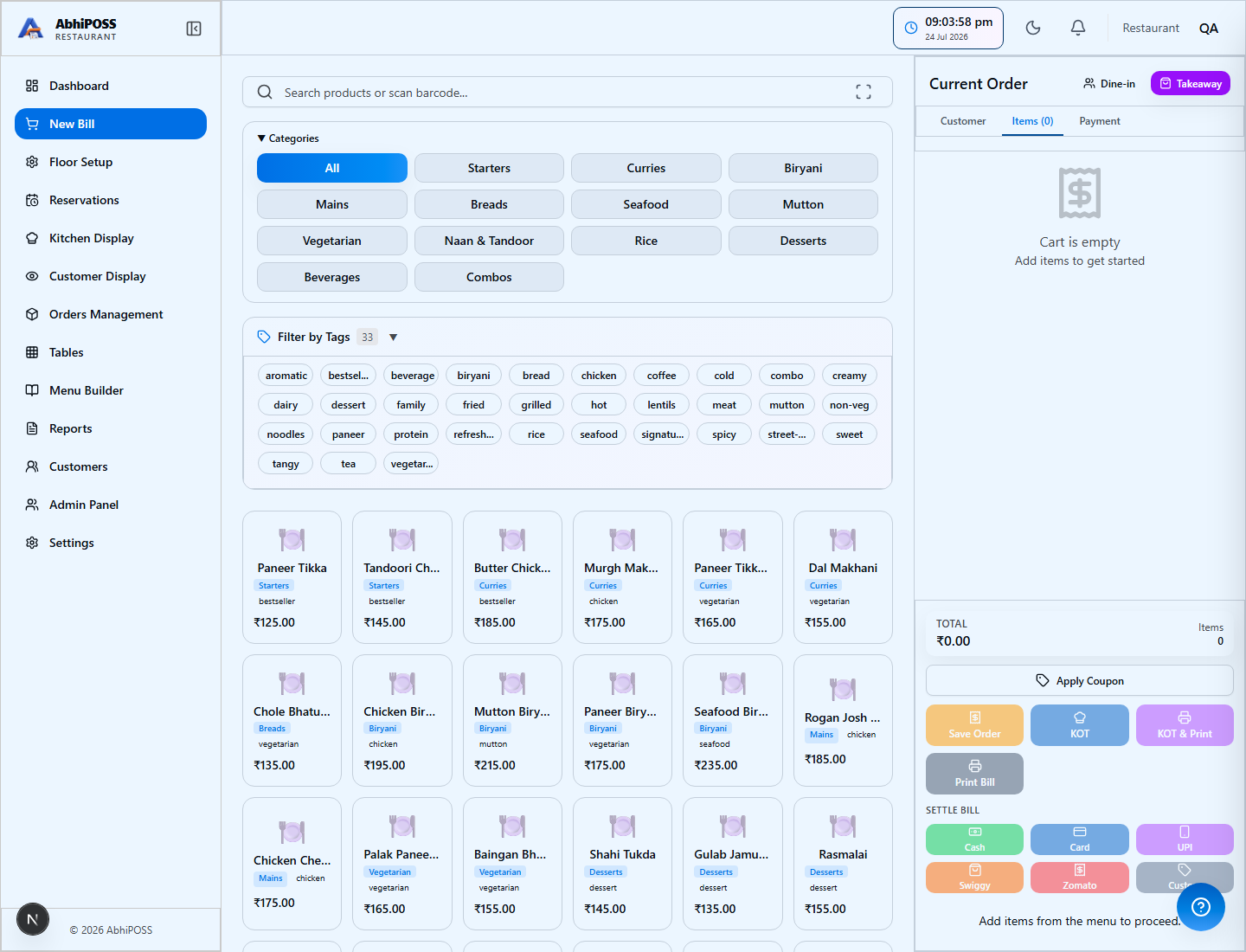
AbhiPOSS restaurant billing counter

Billing counter

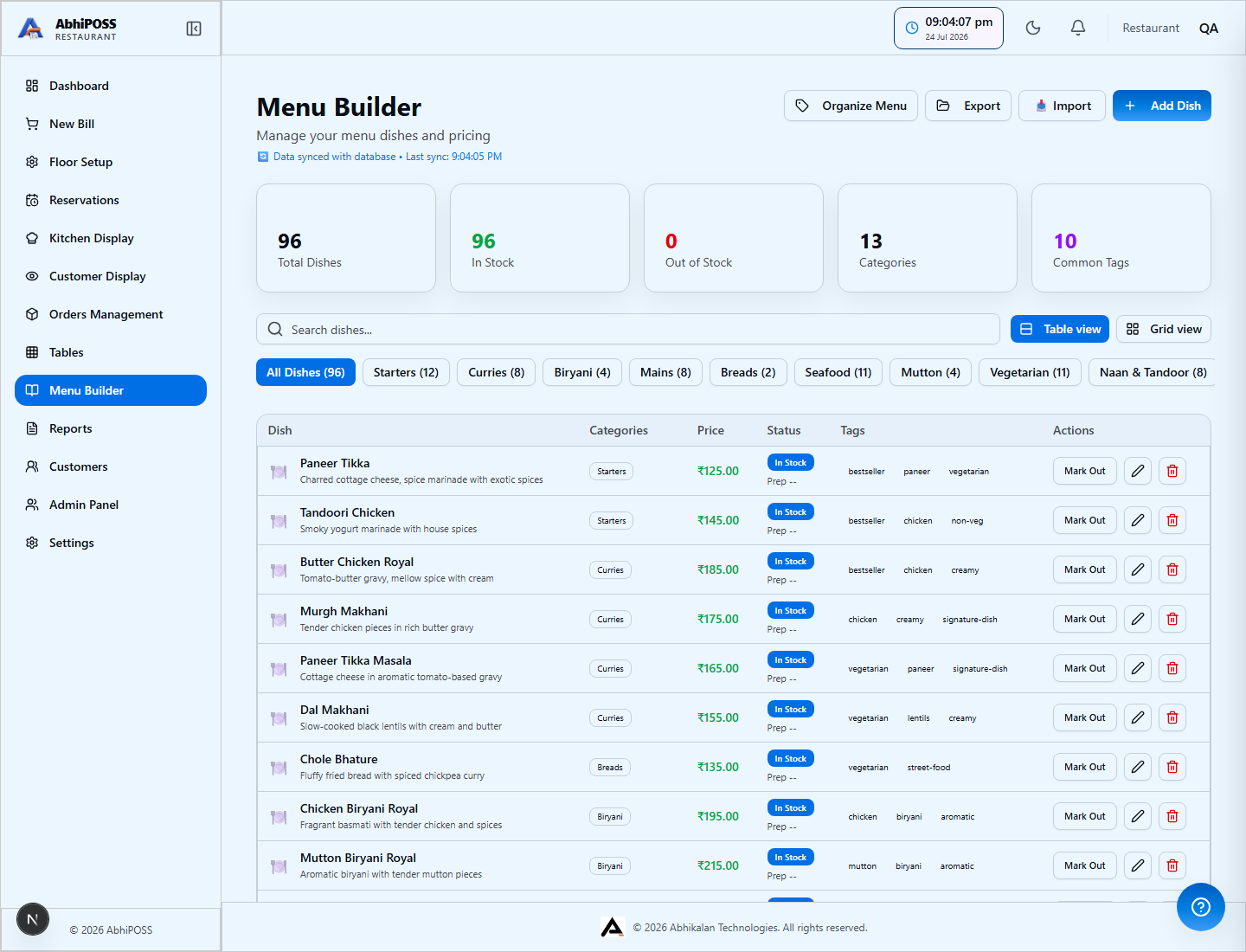
AbhiPOSS restaurant menu and item setup

Restaurant item setup

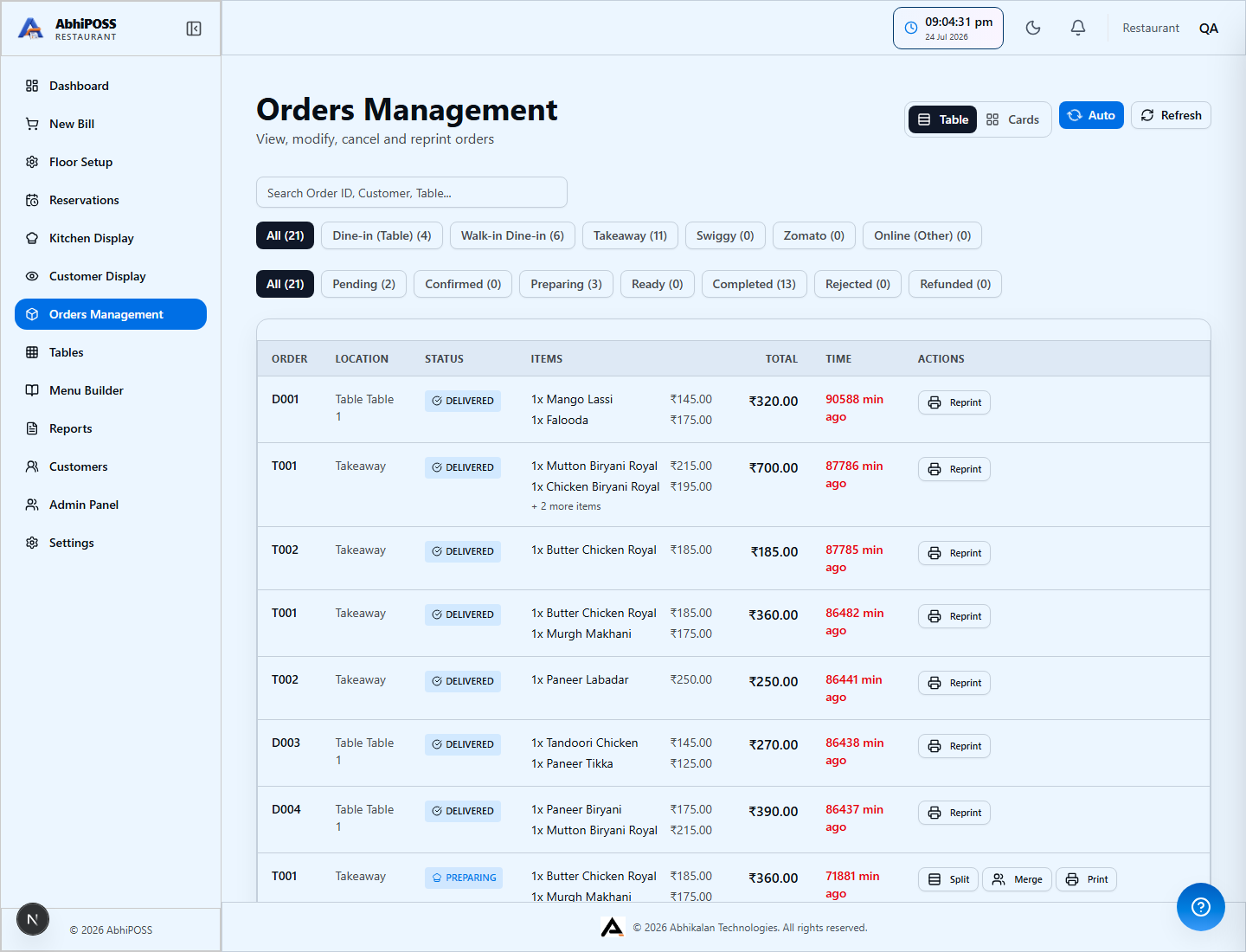
AbhiPOSS restaurant order operations

Order operations

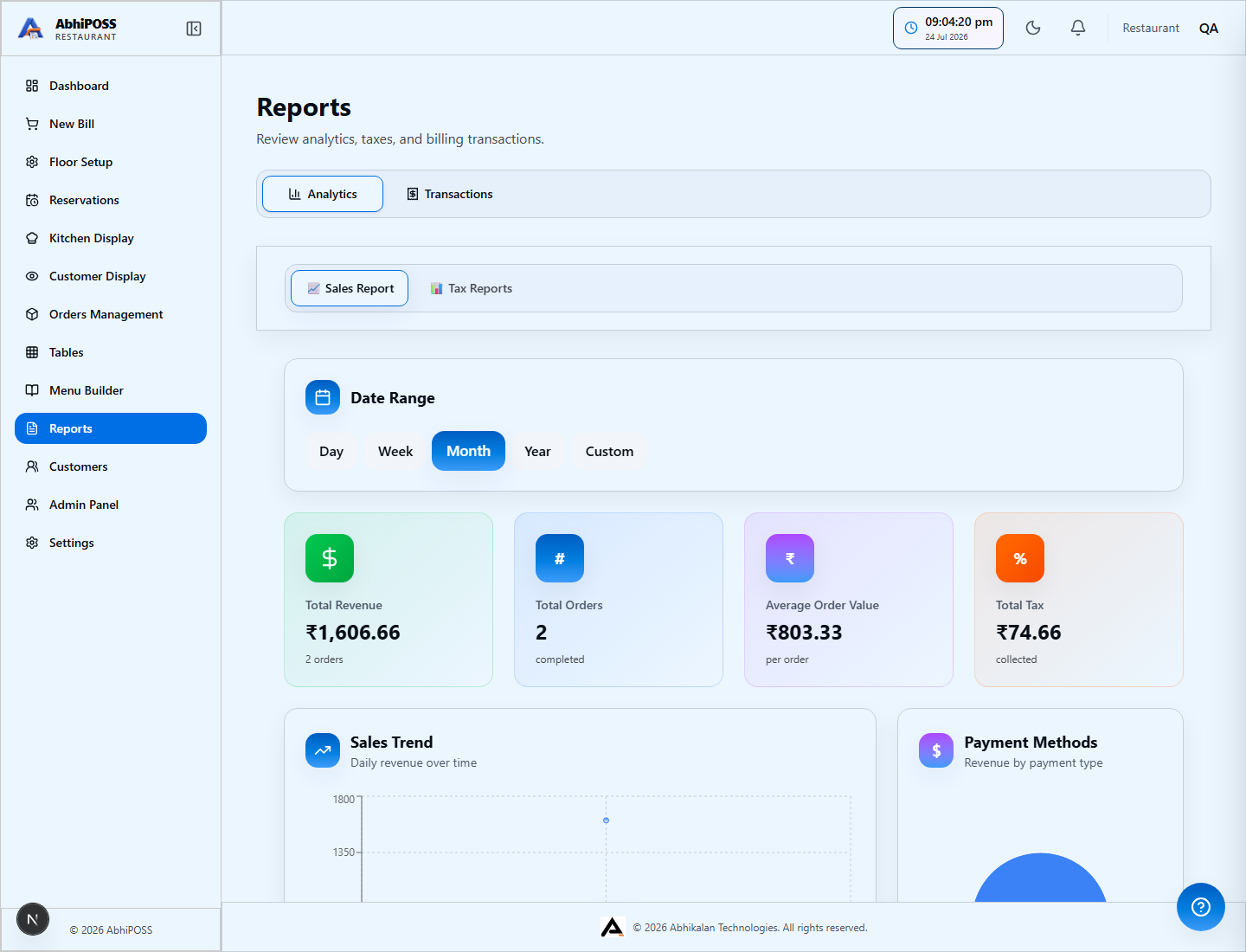
AbhiPOSS restaurant reports and tax view

Reports and tax

Shared AbhiPOSS Foundation

Every business type is built on the same AbhiPOSS platform foundation. Business-specific screens are added by rollout, while core POS controls stay consistent for operators.

  • Billing and checkout
  • Inventory and item setup
  • Tax and transaction records
  • Reports and daily review
  • Users, roles, and operating controls
  • Printer setup and routing